Which vendor still needs to respond?
Keep assignments, vendor responses and appointment proposals with the request, so the next follow-up has context.
For small residential property-management teams
Maintenance coordination built for small teams.
Bring resident requests, vendor follow-ups, appointments and repair updates into one workspace. Built for company portfolios of up to 100 units.
No account or payment needed for a demo. John confirms the time by email.
$99/month · one company · up to 100 units
Ready to start? Create a workspace →
One place to see the next step
Manager dashboard
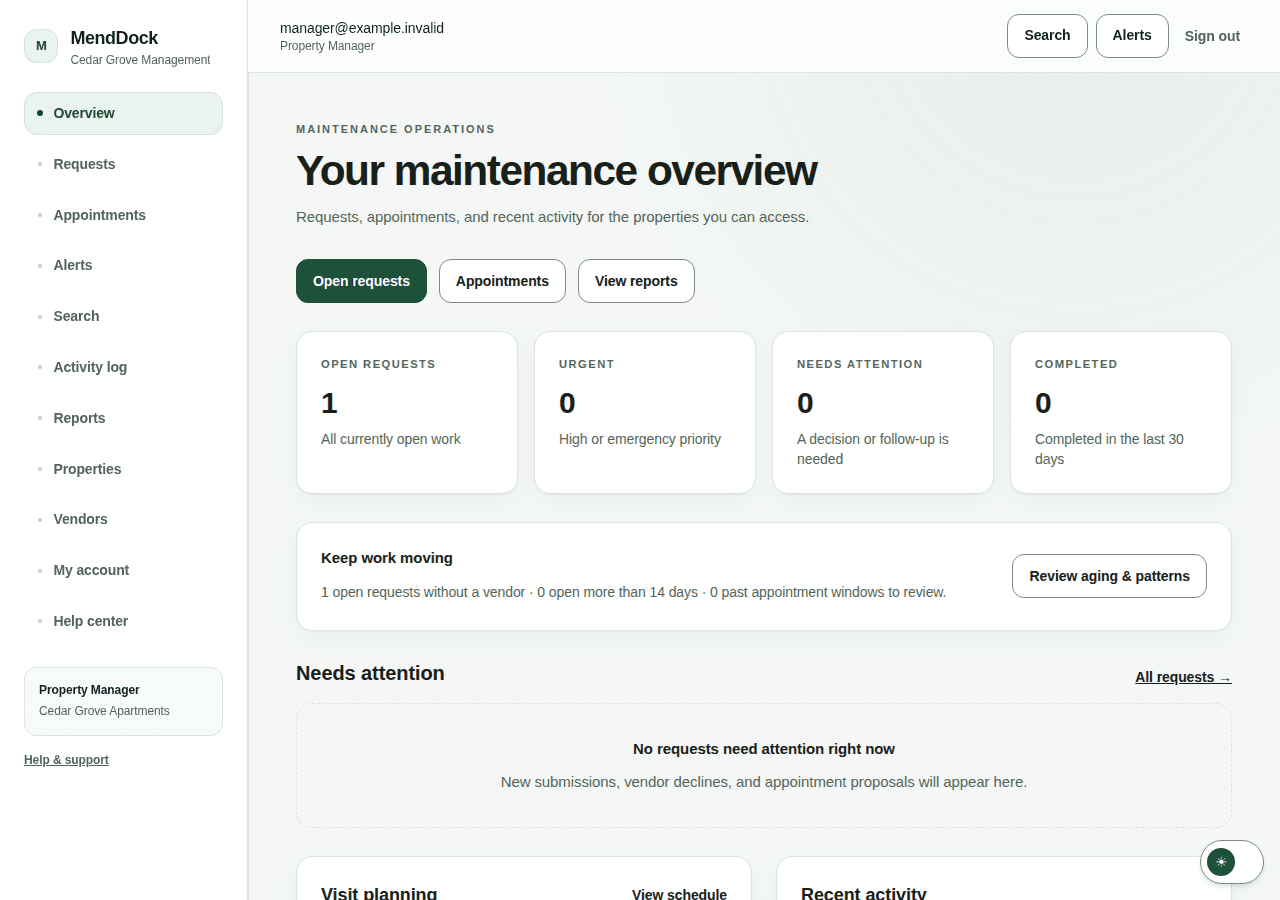
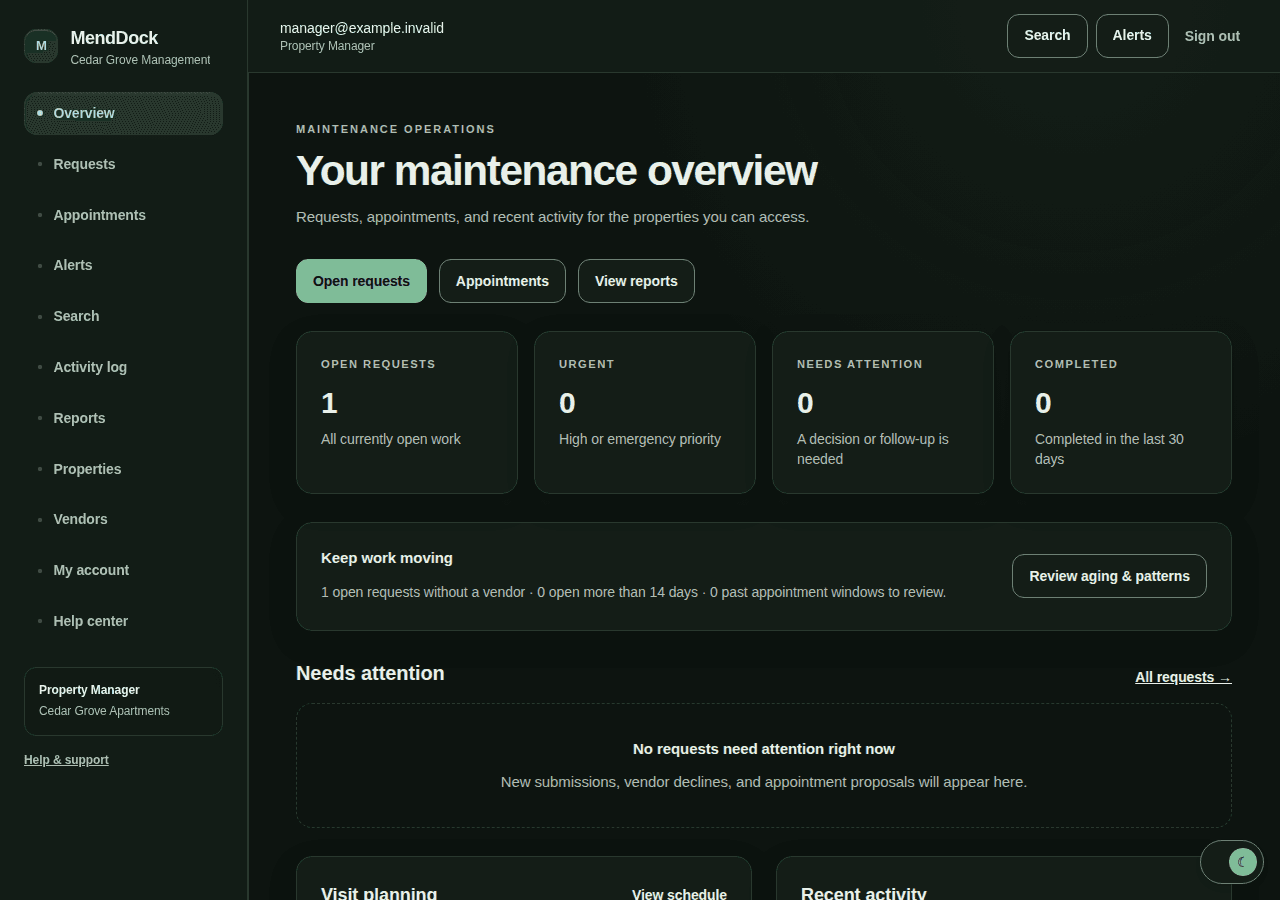
Actual product screen · fictional demonstration data, not customer results.
Walk through one complete repair →A clearer daily workflow
Keep assignments, vendor responses and appointment proposals with the request, so the next follow-up has context.
See open work, upcoming visits and requests that need attention without piecing together separate conversations.
Share approved messages, progress and suitable photos through a private request link. Internal notes stay internal.
A complete repair workflow
Residents use a property’s maintenance link to report an issue and add photos—without creating an account.
Your team reviews the request and AI-assisted suggestions, then chooses a vendor or next step.
Track vendor responses, approve appointment proposals and keep the work moving in the property’s time zone.
Record completion and share the right update with the resident. Keep a history for your team.
Make sure it fits before you switch
Already use property-management software? Let’s identify a real gap first. MendDock should make coordination clearer—not leave your team updating the same repair in two places.
Preview a CSV import of properties and units, review team access, add your vendors and choose a clear home for maintenance requests. Existing records are not overwritten by the import.
Rent collection and accounting stay in your existing tools. CSV import is not automatic synchronization. MendDock does not currently offer automatic integrations or two-way sync with property-management platforms.
A person behind the product
Based in Central Florida, I’m building a focused maintenance tool for small residential property-management teams. Let’s look at your current process and whether MendDock makes the next repair easier to coordinate.
John Brown · Founder
Talk through your workflow with John →Included with your first paid month
One 45-minute setup session
Plan your initial property setup, vendor workflow and tenant-link rollout.
One 15-minute follow-up check-in
Review how the workflow is going and work through first-use questions.
Remote sessions by appointment, at no extra session fee. This is product guidance, not custom development, data-entry services or 24/7 support.
Request a 15-minute demoStraightforward company pricing
Your invited team shares the company subscription. Every teammate keeps their own account and access to the properties they need. Residents and vendors do not buy subscriptions.
Set up your company before subscribing. Normal workspace access starts after subscription activation. Need more than 100 units? Talk to us first; larger capacity and pricing are not automatic.
See whether MendDock fits your team →MendDock Founding
$99 / month
One company workspace · up to 100 total units
Manage your subscription from Billing through Stripe.
Account creation is not a free trial. View service terms.
Practical safeguards
Company and property-level access controls keep each team in its own workspace.
Add an authenticator for another layer of account protection.
AI suggests; your team reviews, chooses vendors and approves appointments.
Export company records and request closure through a support-review process.
Before you get started
Small residential property-management companies and their maintenance teams. The current Founding plan supports one company with up to 100 total units. MendDock is a focused maintenance workspace, not rent collection, accounting or emergency dispatch.
Yes. Explore the self-guided product tour or request a 15-minute demo with John, the founder. Neither requires an account or payment. A demo request is not a confirmed appointment; John replies by email to agree on a time.
No. The company subscription covers the workspace and invited teammates. Residents use maintenance links, and vendors receive private work-order links for their assigned jobs.
No automatic integrations or two-way sync with property-management platforms are currently offered. A Company Admin can preview a CSV import of properties and units. That is a one-time import, not ongoing synchronization. Discuss your existing workflow with us before switching.
One company workspace with up to 100 units, maintenance intake, AI-assisted triage with human review, vendor coordination, scheduling, reports, team access and private resident updates. Your first paid month also includes one 45-minute remote setup session and one 15-minute check-in, by appointment, at no extra session fee.
No. AI suggests categories, urgency and summaries. Your team reviews the request, chooses vendors and approves appointments. Emergencies must go through your property’s emergency process, not MendDock support.
Company Admins use Billing to manage the company subscription through Stripe’s customer portal. Employees do not pay separately. Subscription access starts after activation; creating an account is not a free trial. See the Terms for the service conditions.
Talk to us before committing to a larger portfolio. Existing customers can request capacity review from Billing → Data & plan. More capacity and any different price must be agreed separately; extra units do not silently trigger a charge.
Start with a conversation
See a sample workflow, ask your questions and decide whether MendDock belongs in your operation. No account or payment needed for the demo.
A request is not a confirmed appointment. John replies by email to agree on a time.